How to link your SWTOR account to Twitch.tv in order to earn unique SWTOR cosmetics such as the Orlean Voidstream Mount by watching livestreams on Twitch!
Contents – Click to Jump
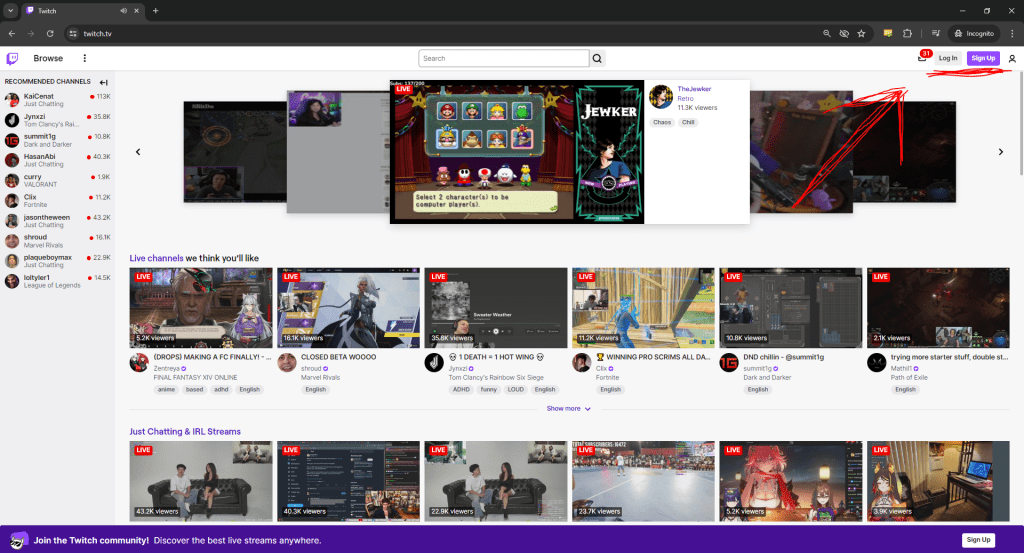
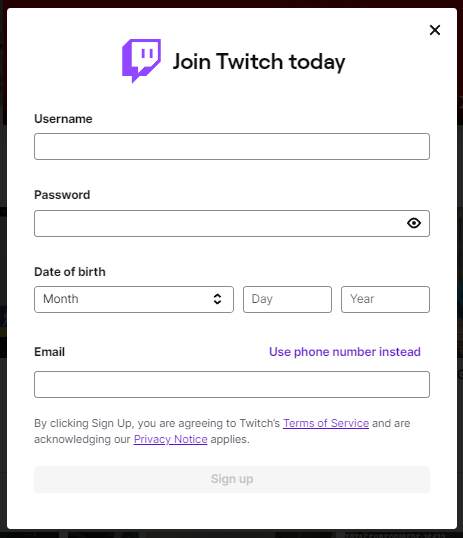
Log in to Twitch.tv
Twitch.tv is a livestreaming website where users can watch other people play games, chat or hangout. In order to qualify for twitch drops and earn swtor loot you need to be logged into a twitch account (or amazon prime account) on twitch.tv. The minimum age requirement for creating a twitch account is 13 years.
How to Link your SWTOR Account
Once you have created or logged into your twitch account, open a new tab in the same browser and log into your account at swtor.com, go to the account page and click the twitch link button found next to the Steam link button.
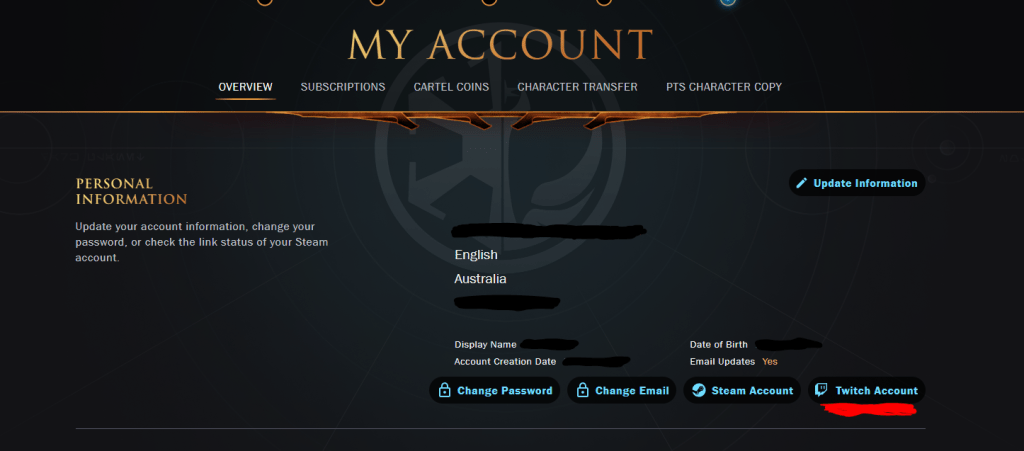
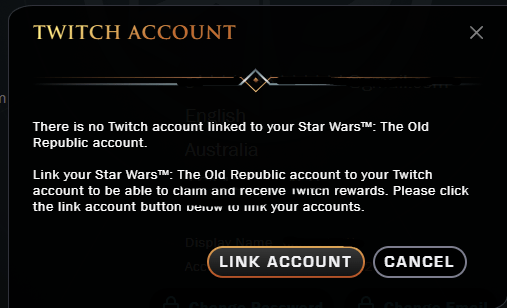
Twitch may re-prompt you to log into your account or verify your link for security reasons before the two can be linked togther.
Once you have linked the two accounts together, your SWTOR account homepage should show this green bar.

Orlean Voidstream Mount Unlock

If your twitch.tv account and swtor.com accounts are linked together, you can unlock the Orlean Voidstream mount in-game.
To unlock the mount, you need to watch a total of 4 hours of twitch.tv streams in the SWTOR catergory between the 20th of August and the 19th of September 2024.
You do not have to watch 4 hours straight in one sitting, you can watch any streamer in the SWTOR catergory for at least 5-10 minutes a day to count your progress.
When you have watched a total of 4 hours of SWTOR livestreams, twitch will notify you that you have qualified for a twitch inventory reward, and the Mount will be mailed to your swtor account.
Enjoy my content and want to see more? You can support me by following me on Twitter or Join the Discord Community!
May the Force be with you ❤

If you liked my Content, consider tipping
to keep TodayinTOR.com Online!

Become a part of the SWTOR Community!
 Today in TOR